
Tag and Go: How Estate Sale Companies Photograph, Price and Label a Whole House in Hours, Not Days (Printers, Label Sizes and the Custom Label Designer)
Snap, price, print: how Tag and Go turns a 20-hour setup into about 2.5, which label printers we recommend, the label sizes that fit every item, the custom label designer, pre-offers and sale-day checkout.

In this guide · 14 sectionsShow
- 01Quick summary
- 02Watch Tag and Go in action
- 03Why tagging is the bottleneck in every estate sale
- 04The hidden costs of old-school tagging
- 05How Tag and Go works, step by step
- 06The time savings, in real numbers
- 07Recommended label printers
- 08Label sizes for every item in the house
- 09The custom label designer: your brand on every item
- 10Pre-offers: more time, more exposure, still fair
- 11How Tag and Go increases sale profits
- 12Get started
- 13FAQ
- 14Related guides
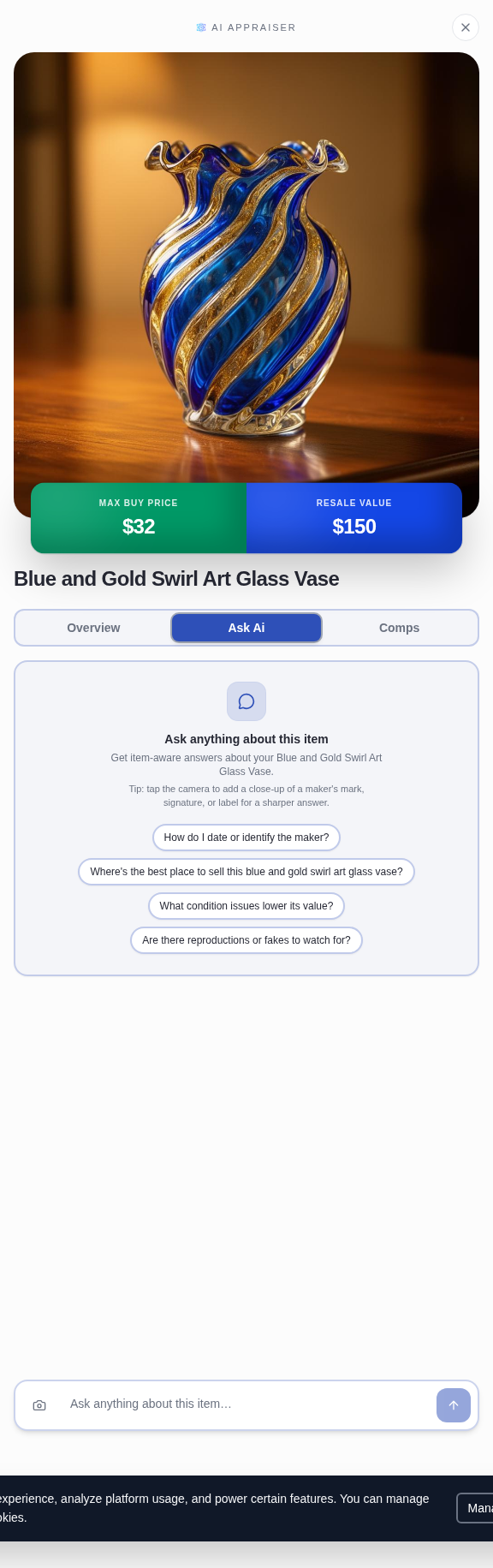
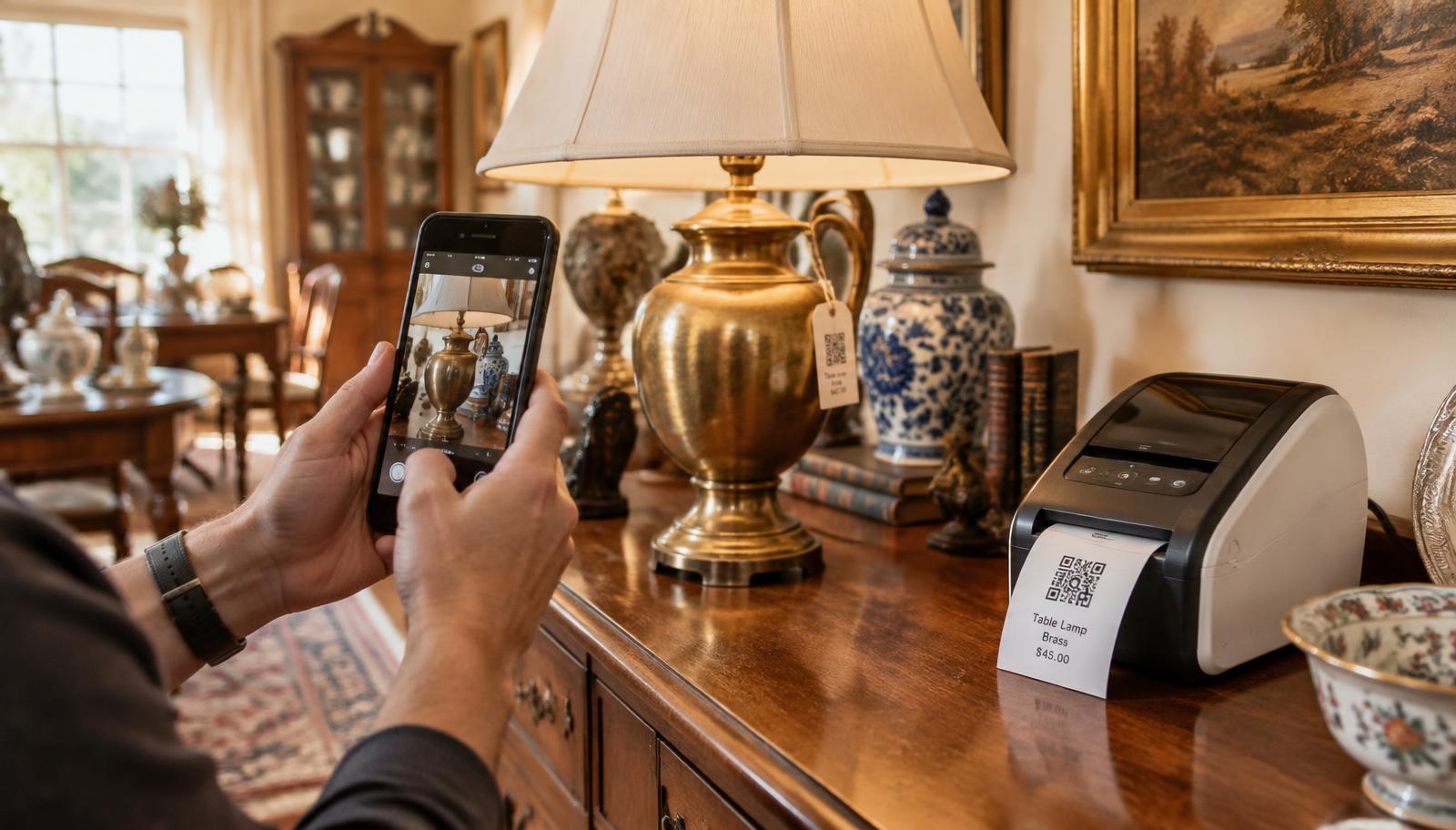
Tag and Go is EstateSaleFinder's tagging system for estate sale companies: point your phone at an item, get a suggested price backed by comps from up to 34 different websites, and print a QR label on the spot. The item is photographed, priced, labeled and posted to your online catalog in one pass, so a setup that used to take days takes hours.
Quick summary
- One pass per item: photo, title, suggested price, printed label and online listing happen together.
- Price comps from up to 34 websites, shown as a suggestion. You always set the final price.
- Real time savings: Tammy Weiss of NYMES LLC says setup went from about 20 hours to about 2.5.
- Works with printers you can buy today, from a roughly $40 Bluetooth printer to the Brother QL-820NWB.
- Your labels, your brand: the custom label designer adds your logo, layout and fields, and every teammate prints the same design.
- More buyers, more money: every tagged item can take pre-offers before the doors open, under rules that stay fair for everyone.
Watch Tag and Go in action
Why tagging is the bottleneck in every estate sale
Ask any estate sale owner where the week goes and the answer is the same: pricing and tagging. Every item needs someone to look it up, decide a price, write a tag, stick it on and, if you post online, photograph it again later. Handwritten tags smudge, fall off and get swapped. Cashiers squint at them on sale day. And the online listing that brings in the crowd usually gets the leftover hour at midnight.
Tag and Go collapses all of that into one step at the item.
The hidden costs of old-school tagging
Masking tape and a marker look free. They aren't. Here is what they quietly cost estate sale companies on every house.
- The $100 item sold for $2. After hours on their feet, even good crew members stop looking things up. A signed art glass bowl or a brass mid-century lamp gets a quick "$3" guess, the first picker through the door grabs it, and your client just lost $97 on one item. Tag and Go shows comps right at the item, so nobody prices blind because they're tired.
- Overpriced items that never sell. The opposite mistake costs just as much. A helper sees a high asking price on an unsold online listing and puts $85 on a common $15 dish. It sits through Friday and Saturday and goes for a fraction on Sunday. Suggestions lean on what things actually sold for, so items are priced to move.
- Uneven pricing from room to room. When three people price three rooms, you get three different pricing styles. Comps give the whole crew the same starting point, so prices are equal and fair for every shopper, and the family's estate gets consistent value.
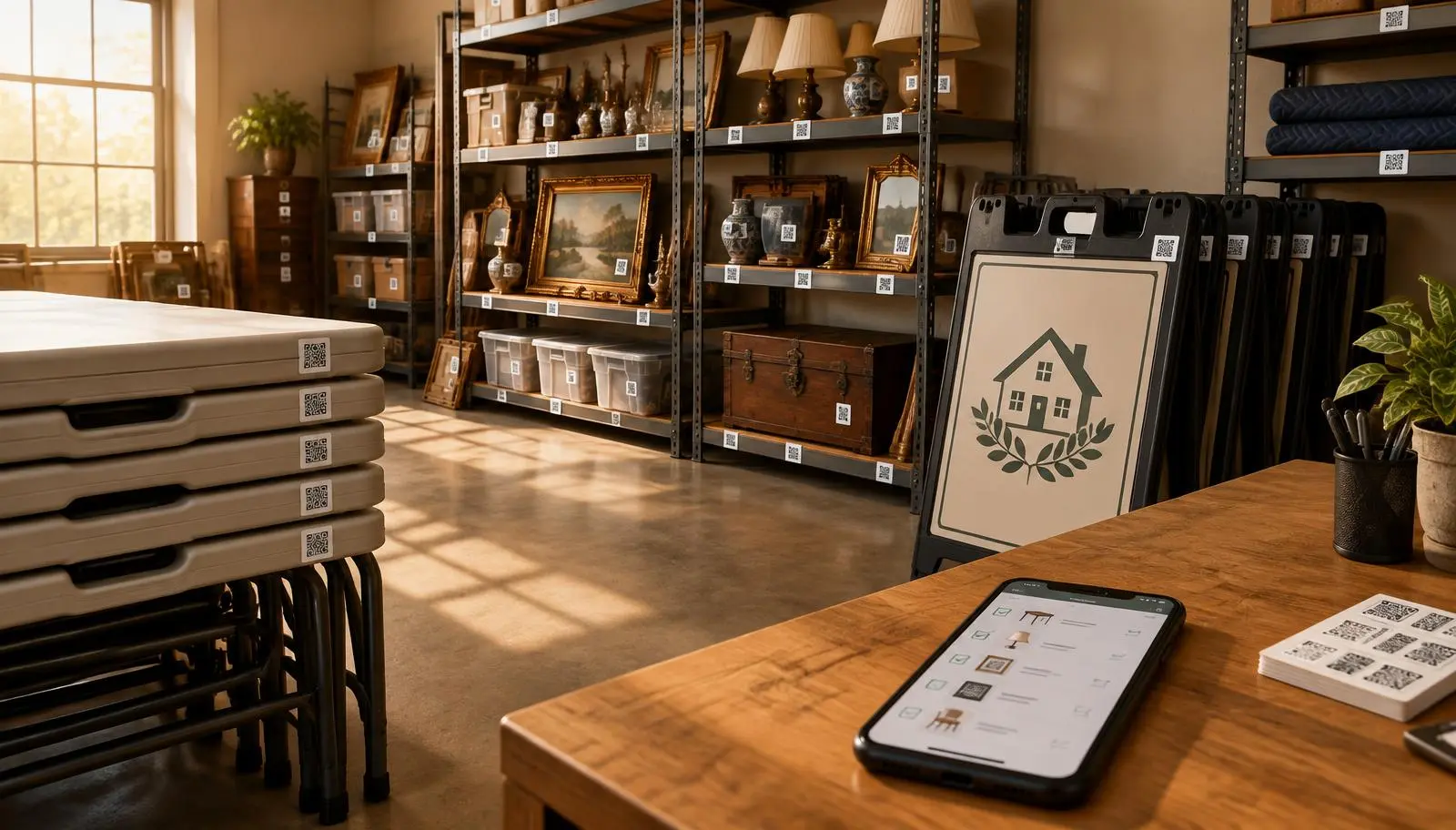
- Tag swapping. When every sticker looks the same, a dishonest shopper can peel a $2 tag off a chipped bowl and press it onto a $150 cast iron skillet. With a line out the door, no cashier can remember every price. Every Tag and Go label has its own QR code, so when it's scanned the Register shows the real item's photo, name and price. A swapped tag gets caught right away.
- Angry shoppers who came for something already sold. Few things hurt your reputation faster than a buyer who drove 45 minutes and stood in line at 6 AM for an item that sold during setup. Because Tag and Go is tied to your online catalog, an item is marked sold the moment it's rung up or an offer is accepted, so shoppers only come for what's really there.
- Payroll spent on research and scribbling. Paying three crew members $20 an hour for two full days to look things up and hand-write tags adds up to $600 to $1,000 or more before the doors open. Cutting setup to a few hours protects your margin and frees the weekend for another sale.
- "Hey, what should I put on this?" Instead of the owner being interrupted every few minutes for a price, each crew member has suggestions in their own hand, and the walkthrough keeps moving.
- Checkout mistakes. Smudged pencil, torn stickers and rushed handwriting slow the line and cause wrong totals. A QR scan takes a second and pulls the right price every time.
- Labels that damage finishes. Masking tape left too long can lift lacquer, veneer or old paper labels. Thermal labels in sizes made for jewelry and smalls keep tags small and clean.
How Tag and Go works, step by step
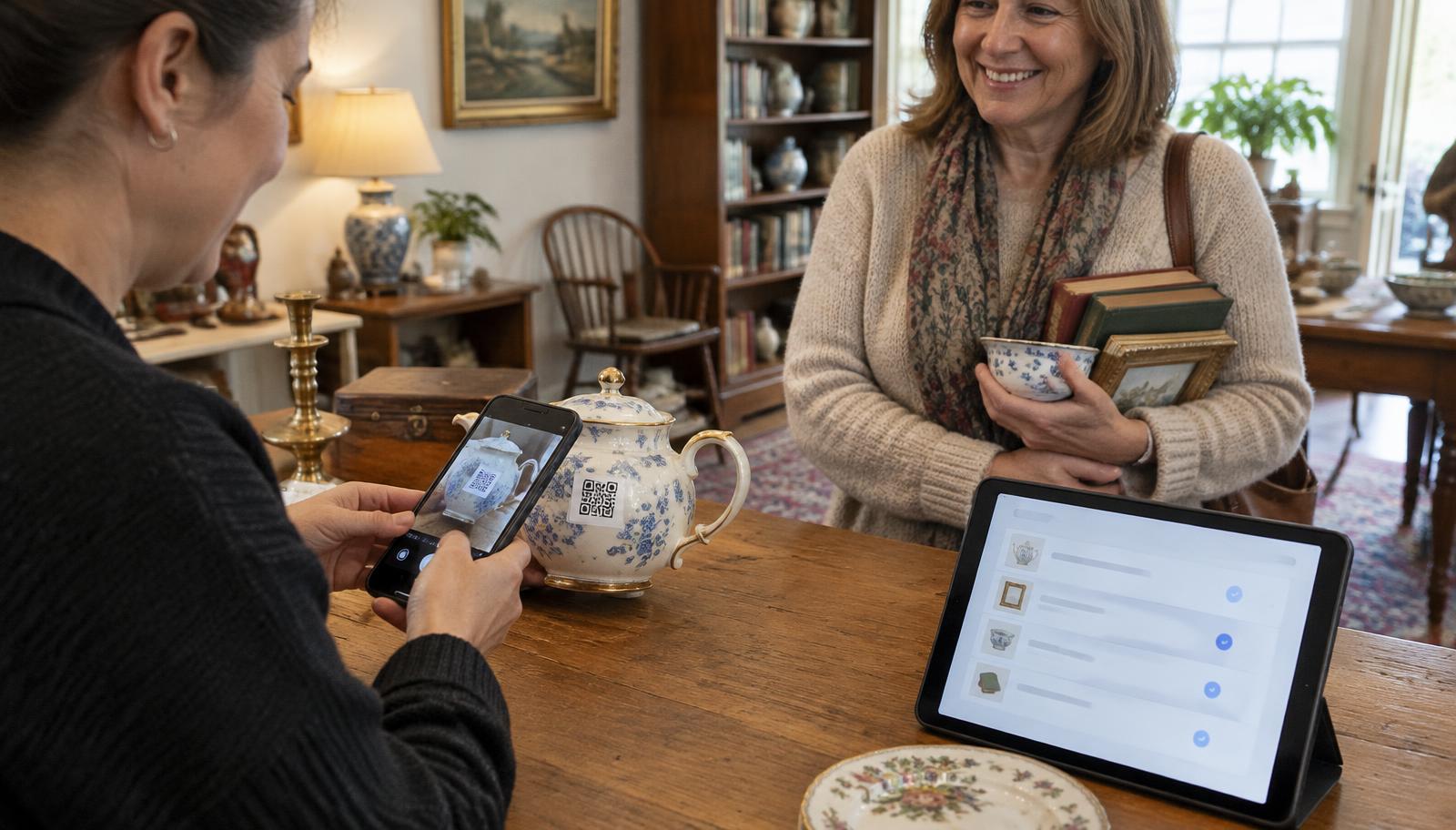
- Open Tag and Go on your phone. It runs in the browser on iPhone and Android, so new crew members don't need to install anything.
- Snap the item. The square camera frames it the way it will look in your catalog.
- Get a suggested price. The AI identifies the item and pulls price comps from up to 34 different websites. When sold prices exist, they lead, because what things actually sold for matters more than what people are asking.
- Set your price. Accept the suggestion, apply your company's percentage, or type your own number. It's always your call.
- Print and stick. The QR label prints over Bluetooth, Wi-Fi or USB in a second or two.
- Keep walking. The item is already in your sale's online catalog, with the photo, title and price, ready for shoppers to browse.
Teammates can work different rooms at the same time, each with their own phone and printer, and everything lands in the same sale.
The time savings, in real numbers
Sales that used to take us 20 hours to set up now take about 2.5. That time savings means we can run more sales, reach more bidders, and bring in more money." — Tammy Weiss, NYMES LLC, Ohio
Saving 17 hours on one setup isn't just a quieter week. It's room for another sale on the calendar, fewer paid crew hours per house, and a catalog that's online days earlier.
The platform Andy has built for EstateSaleFinder.net has completely changed the way I operate my estate sale business. ... Every feature is built to help us run more efficient sales, better serve our clients, and manage our businesses more effectively." — Jenna Pecor, My Jennarocity Estate Sales, founder of the Institute for Estate Sale Professionals
Recommended label printers
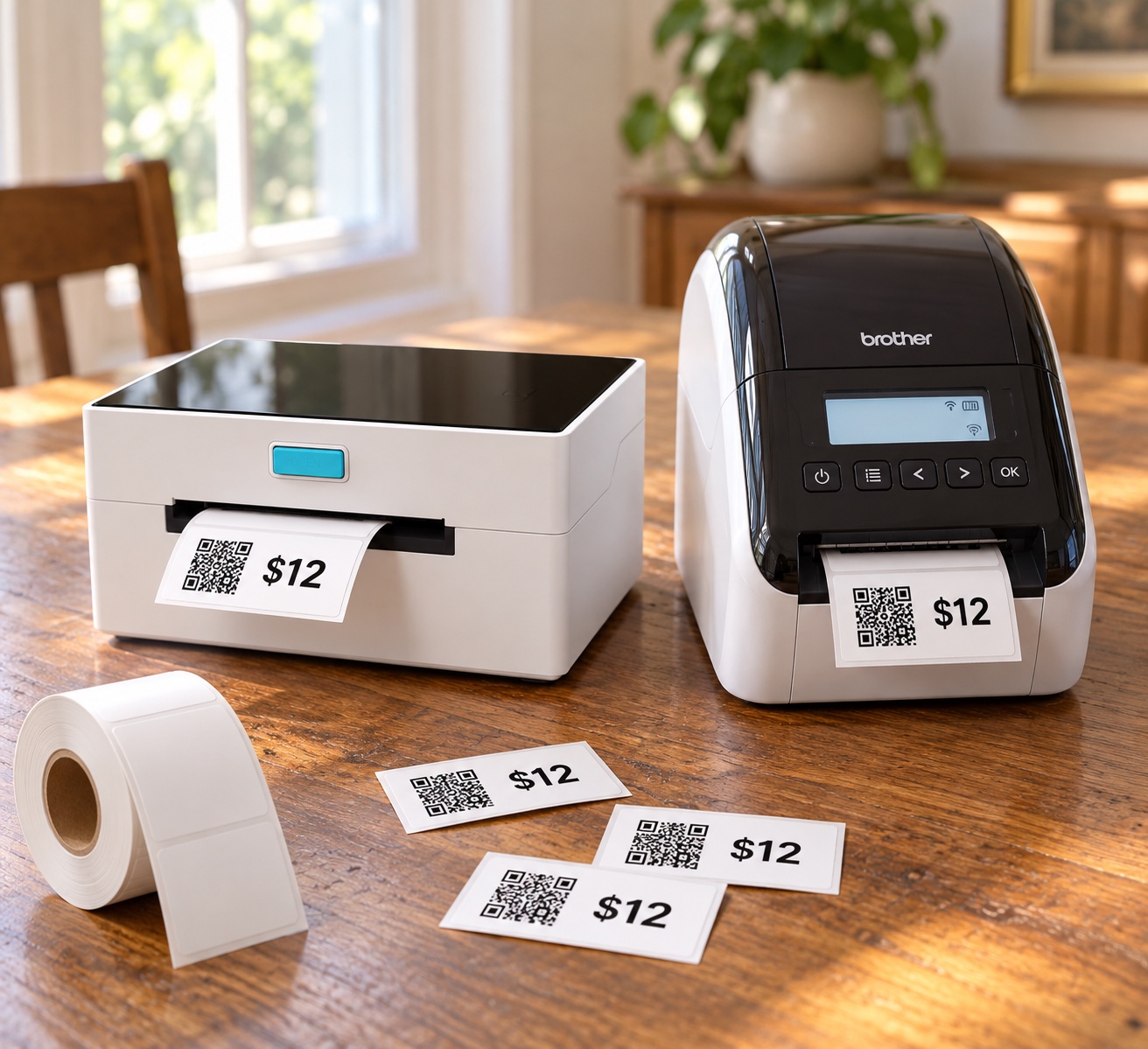
All of our recommended printers are direct thermal, which means no ink or toner, ever. Prices are approximate street prices.
| Printer | About | Best for | Connects by | Labels |
|---|---|---|---|---|
| POS-9220 (Jenna's IESP workshop pick) | $40 | Lowest cost, one per crew member | Bluetooth + USB | Standard 2.25 × 1.25 in thermal rolls |
| Munbyn ITPP941 (best middle option) | $120 | High-volume tagging days | Bluetooth + USB | Cheap generic thermal rolls |
| Brother QL-820NWB (Andy's pick) | $240 | Crisp 300 dpi labels, cuts each label for you | Wi-Fi, AirPrint, Bluetooth, USB | DK-2205 continuous roll |
Already own a printer? Tag and Go also has setup profiles for other Brother QL models (QL-800, QL-810W, QL-700, the wide QL-1100/1110NWB), Phomemo, Rollo, Dymo LabelWriter, Zebra and more. The Printers screen in Label Studio walks you through it: load the roll, connect, and print one test label to scan.
Label sizes for every item in the house
One size doesn't fit a ring and a dresser. Pick a size for the job, and the label designer fits your text and QR code to it.
| Size | Good for |
|---|---|
| 2.25 × 1.25 in thermal roll | The everyday workhorse: title, price and QR on almost anything |
| 2.4 in continuous (Brother DK-2205) | Choose the label height; the QL-820NWB cuts each one |
| 1.5 × 1 in and 2 × 1 in | Books, kitchenware, tools, small boxed items |
| 0.9 × 0.9 in square and 0.47 in round | Jewelry, coins and smalls, where a big label would cover the marks |
| 3 × 2 in and 4 × 2 in | Furniture and showcase pieces, readable from across the room |
| 4 × 6 in | Box lots, bulk and signage |
| Avery 5160, 5161, 5163, 22805 sheets | No thermal printer yet? Print on sheet labels from any laser or inkjet printer |
The custom label designer: your brand on every item
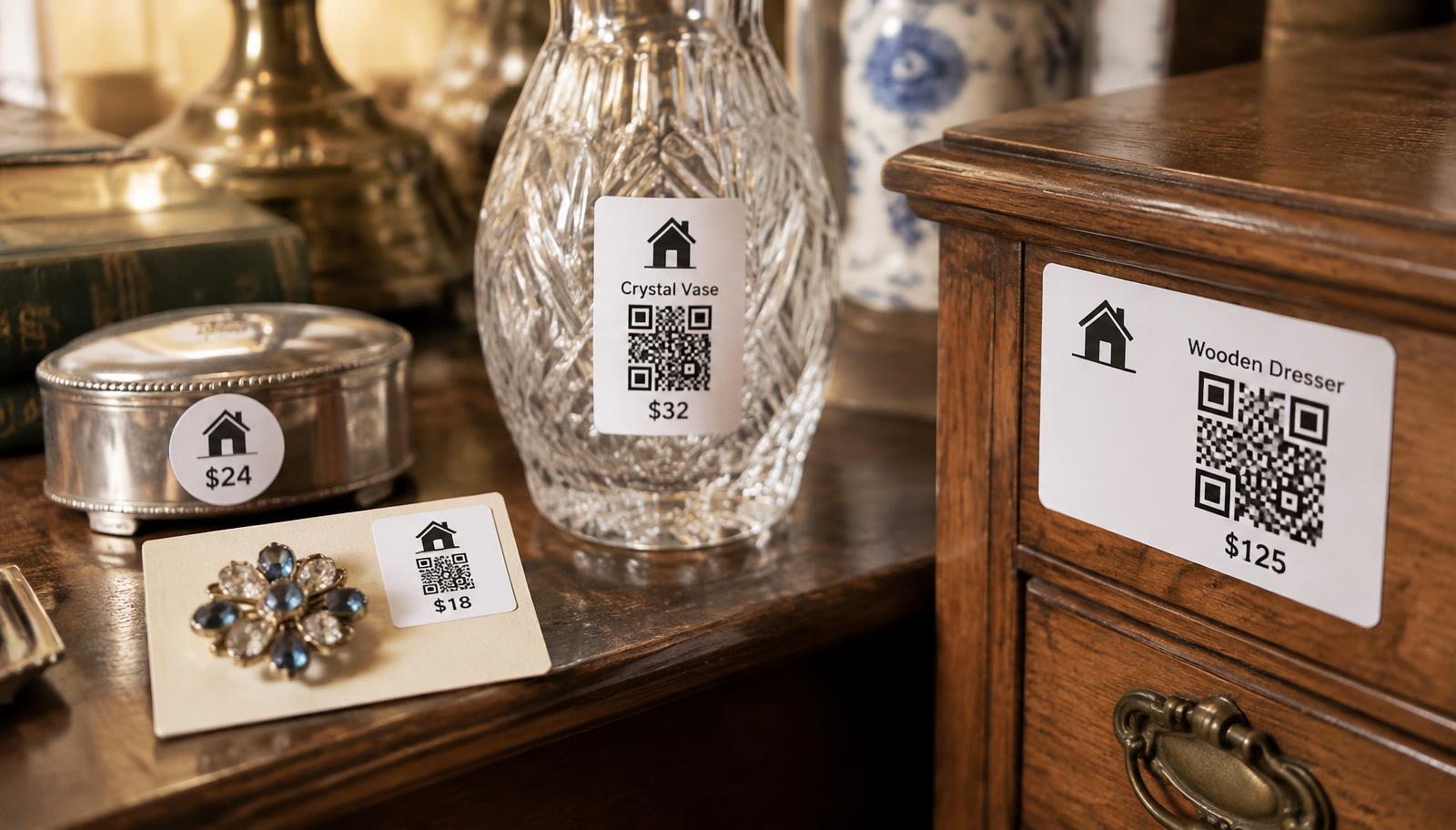
Label Studio (Settings, then Labels) is where you design the label once and use it everywhere.
- Put your logo on it. Every item that leaves the house carries your company name, which is free advertising in someone's living room for years.
- Choose what prints. Title, price, item number, QR code, sale name: turn fields on or off and arrange them.
- Easy or Advanced. Start from a ready-made template in Easy, or fine-tune layout, sizes and placement in Advanced.
- It always fits. Text sizes itself to the label, and what you see on screen is what prints, so nothing gets cut off.
- Leave the price off if you want. Print a QR-only label and reprice whenever you like. Shoppers and cashiers scan to see the current price, so discount day doesn't mean re-tagging the whole house.
- One library for the whole team. Saved designs belong to the company, so every teammate prints the same look from their own phone.
Pre-offers: more time, more exposure, still fair
Because Tag and Go posts each item as you tag it, your catalog goes online while you're still setting up. That turns setup week into selling week.
- More time on the market. Instead of a three-day sale, items get seen for the whole week before the doors open.
- More buyers. Collectors, dealers and out-of-town shoppers who would never make the drive can find the one thing they want and make a pre-offer.
- Fair for everyone. You set the rules: which items take offers, when the offer window opens and closes, and what you'll accept. Every buyer sees the same items under the same terms, and nothing is promised until you accept. Read more about how pre-offers work.
A fast checkout can also recognize the shopper, not just the merchandise. Our Shopper Rewards and Hunter Pass walkthrough shows how to scan a pass, track return visits and apply an earned reward.
How Tag and Go increases sale profits
- Better prices. Comps from up to 34 websites mean fewer items priced too low out of guesswork.
- Fewer unsold leftovers. Pre-offers find buyers for pieces that would otherwise sit until half-price day.
- Lower labor cost. Fewer crew hours per house, and room to book more sales each month.
- Faster, accurate checkout. The QR label scans straight into the Register, so there are no misread tags or wrong prices, and sold items update everywhere.
Get started
Tag and Go, labels and the Register are included with Estate Pro and Pro+ plans, and new companies get a 60-day free trial. List your estate sale company to try it on your next sale, or find estate sales near you to see tagged catalogs from the shopper's side.
FAQ
What is Tag and Go?
Tag and Go is EstateSaleFinder's phone-based tagging system for estate sale companies. You photograph an item, get a suggested price from comps on up to 34 websites, set your price and print a QR label, and the item is added to your sale's online catalog at the same time.
Does Tag and Go set the prices for me?
No. It suggests a price. You can accept it, apply your company's percentage or type your own price.
What printer do I need for Tag and Go?
Any of our recommended thermal printers: the POS-9220 (about $40), the Munbyn ITPP941 (about $120) or the Brother QL-820NWB (about $240). Many Brother, Dymo, Zebra, Rollo and Phomemo models also work, and you can print sheet labels on a regular printer.
What label size is best for estate sales?
2.25 × 1.25 in works for most items. Use small square or round labels for jewelry and smalls, and 3 × 2 in or 4 × 2 in for furniture.
Can I put my company logo on the labels?
Yes. The custom label designer in Label Studio adds your logo and lets you choose the layout and fields. Your whole team prints the same saved design.
How does Tag and Go stop tag swapping?
Every label has its own QR code tied to one item. When the cashier scans it, the Register shows that item's photo, name and price, so a tag moved onto a different item is caught right away.
Do I have to re-tag items when prices change?
Not if you print QR-only labels. Shoppers and cashiers scan the QR code to see the current price.
Related guides
Printer prices are approximate street prices as of November 2026 and change often. AI price suggestions are suggestions, not appraisals. Photos are AI-generated illustrations. Quotes are from EstateSaleFinder customers, used with permission.
Keep exploring
Ready to start your own treasure hunt?
Discover estate sales near you and find incredible deals.
Explore Sales Near MeAbout the author
Andy
Founder, EstateSaleFinder.net
Hi, I'm Andy — a retired commercial photographer turned developer with a five-year (and counting) obsession with estate sales. I started EstateSaleFinder.net because I knew there had to be an easier, smarter way to find and list estate sales. Now I get to chase treasure and build the tool I always wished existed.